

Note
Go to the end to download the full example code.
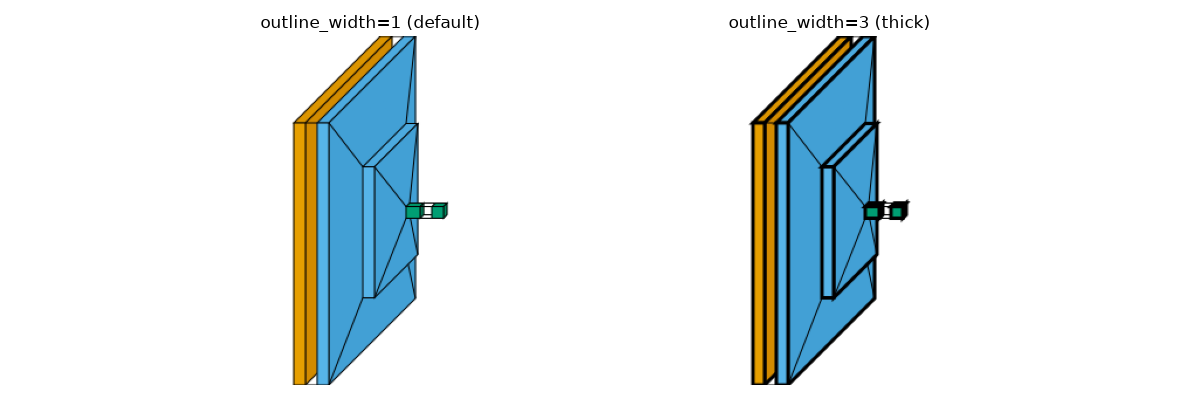
Outline Width#
Visualization of thin vs thick outline border using the outline_width parameter
in the flow style.
import matplotlib.pyplot as plt
import torch
import torch.nn.functional as func
import visualtorch
from torch import nn


class SimpleCNN(nn.Module):
    """Simple CNN Model."""

    def __init__(self) -> None:
        super().__init__()
        self.conv1 = nn.Conv2d(3, 16, kernel_size=3, padding=1)
        self.conv2 = nn.Conv2d(16, 32, kernel_size=3, padding=1)
        self.fc1 = nn.Linear(32 * 56 * 56, 128)
        self.fc2 = nn.Linear(128, 10)

    def forward(self, x: torch.Tensor) -> torch.Tensor:
        """Define the forward pass."""
        x = self.conv1(x)
        x = func.relu(x)
        x = func.max_pool2d(x, 2, 2)
        x = self.conv2(x)
        x = func.relu(x)
        x = func.max_pool2d(x, 2, 2)
        x = x.view(x.size(0), -1)
        x = self.fc1(x)
        x = func.relu(x)
        return self.fc2(x)


model = SimpleCNN()
input_shape = (1, 3, 224, 224)


fig, axes = plt.subplots(1, 2, figsize=(12, 4))

img_thin = visualtorch.render(model, input_shape=input_shape, style="flow", outline_width=1)
axes[0].imshow(img_thin)
axes[0].axis("off")
axes[0].set_title("outline_width=1 (default)")

img_thick = visualtorch.render(model, input_shape=input_shape, style="flow", outline_width=3)
axes[1].imshow(img_thick)
axes[1].axis("off")
axes[1].set_title("outline_width=3 (thick)")

plt.tight_layout()
plt.show()