

Note
Go to the end to download the full example code.
Custom Font#
Use font and font_color to style the dimension labels in a LeNet-style view. This example
uses Matplotlib’s bundled Computer Modern sans-serif font, avoiding a platform-specific font path.
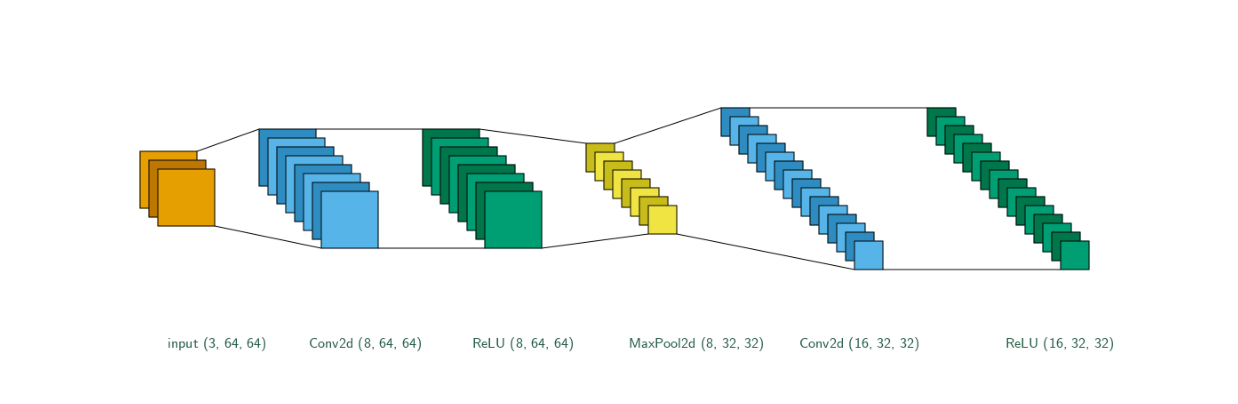
import matplotlib.pyplot as plt
import visualtorch
from matplotlib import font_manager
from PIL import ImageFont
from torch import nn

# Fall back to Pillow's default font if the requested TrueType font is unavailable.
font_properties = font_manager.FontProperties(family="cmss10")
try:
    font_path = font_manager.findfont(font_properties, fallback_to_default=False)
    custom_font = ImageFont.truetype(font_path, 16)
except (OSError, ValueError):
    custom_font = ImageFont.load_default()

model = nn.Sequential(
    nn.Conv2d(3, 8, kernel_size=3, padding=1),
    nn.ReLU(),
    nn.MaxPool2d(2, 2),
    nn.Conv2d(8, 16, kernel_size=3, padding=1),
    nn.ReLU(),
)

input_shape = (1, 3, 64, 64)
img = visualtorch.render(
    model,
    input_shape=input_shape,
    style="lenet",
    padding=80,
    spacing=40,
    show_dimension=True,
    font=custom_font,
    font_color="#245C45",
)

dpi = 150  # rendered at 2x this in the final doc build (savefig.dpi=300 in conf.py)
plt.figure(figsize=(img.width / dpi, img.height / dpi), dpi=dpi)
plt.imshow(img)
plt.axis("off")
plt.tight_layout()
plt.show()