

Note
Go to the end to download the full example code.
Animated Reveal#
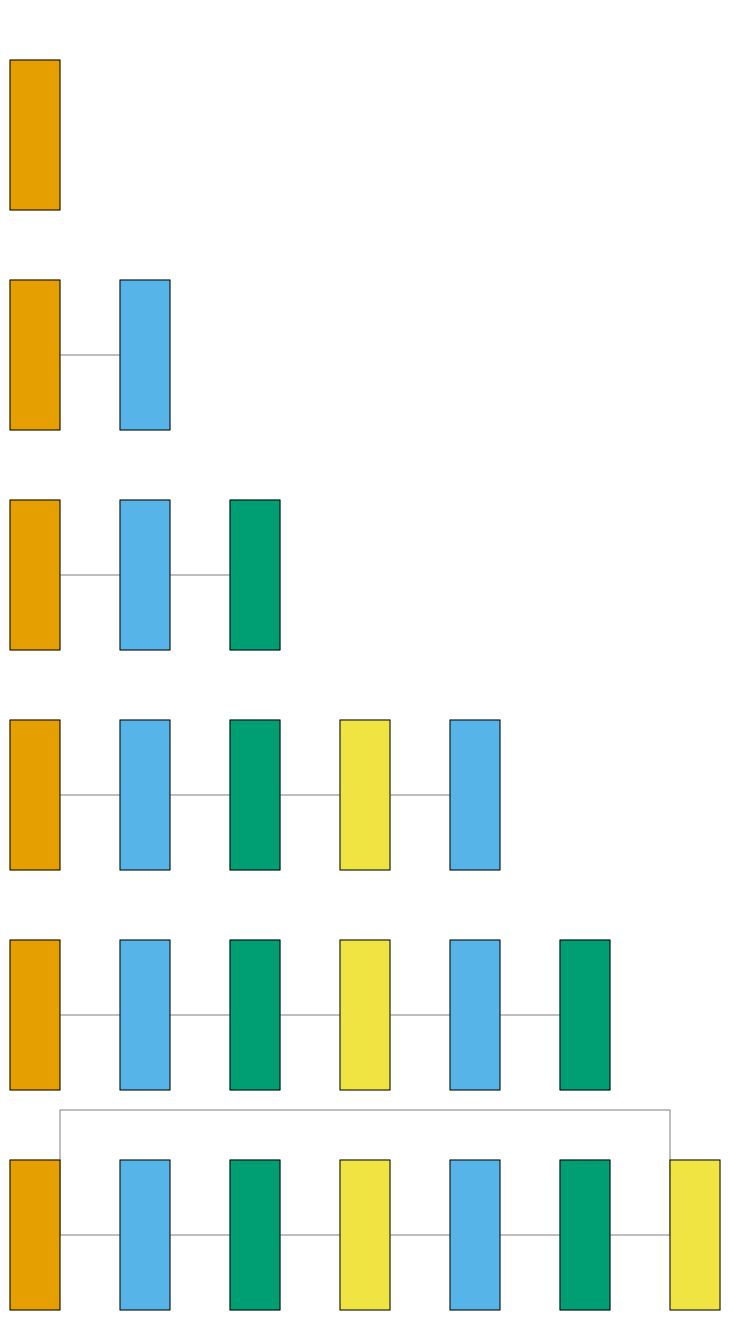
visualtorch.animate(style="graph") renders the same diagram as style="graph" in
visualtorch.render(), but as an animated GIF that reveals the model one column (depth level)
at a time instead of all at once. Parallel branches at the same depth reveal together, in the
same frame, correctly implying they happen simultaneously - a skip connection stays hidden until
its merge point is reached, then draws in exactly as it would in the static image.
The model here is the same residual block used in the “Skip Connections” example, since a merge point is the most interesting thing to watch animate in.
# sphinx_gallery_thumbnail_path = '_static/images/animations/graph_animated_demo_thumbnail.png'

import torch
import visualtorch
from torch import nn


class ResidualBlock(nn.Module):
    """A classic ResNet-style block with a plain identity shortcut."""

    def __init__(self, channels: int) -> None:
        super().__init__()
        self.conv1 = nn.Conv2d(channels, channels, kernel_size=3, padding=1)
        self.bn1 = nn.BatchNorm2d(channels)
        self.relu = nn.ReLU()
        self.conv2 = nn.Conv2d(channels, channels, kernel_size=3, padding=1)
        self.bn2 = nn.BatchNorm2d(channels)

    def forward(self, x: torch.Tensor) -> torch.Tensor:
        """Define the forward pass, with a skip connection around conv1/bn1/relu/conv2/bn2."""
        identity = x
        out = self.relu(self.bn1(self.conv1(x)))
        out = self.bn2(self.conv2(out))
        out = out + identity
        return self.relu(out)


model = ResidualBlock(channels=8)
input_shape = (1, 8, 16, 16)

# Returns a list[Image.Image], one per column, in reveal order - pass to_file="your_path.gif" to
# save it directly as an animated GIF instead.
frames = visualtorch.animate(model, input_shape, style="graph", show_neurons=False, layer_spacing=60)